


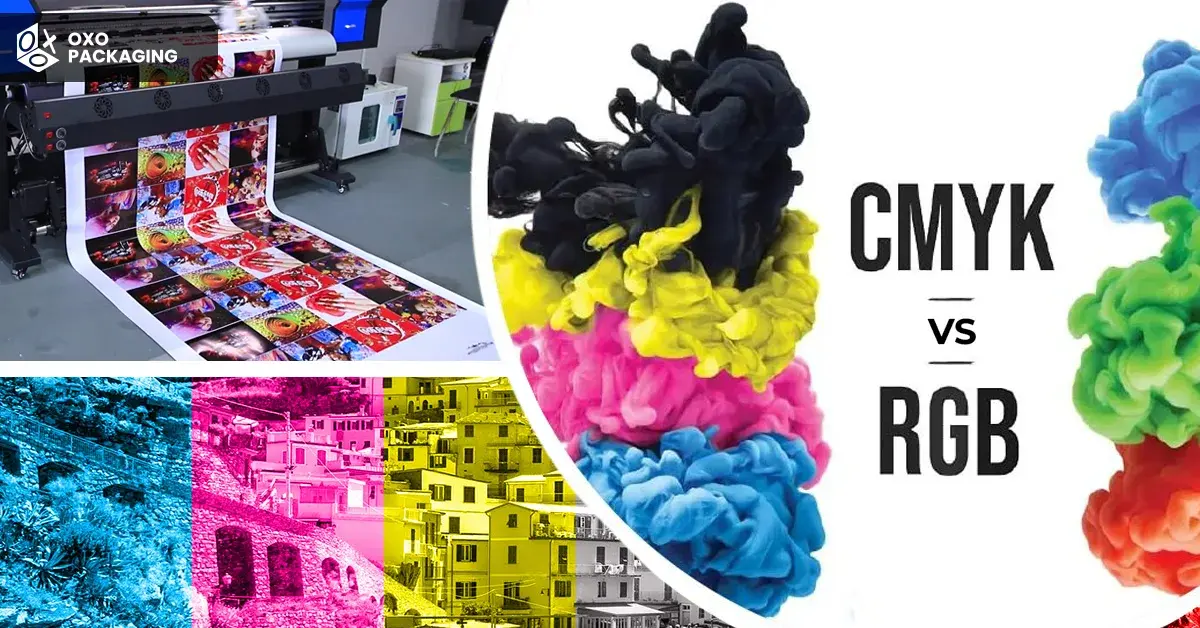
The type of colour mode that is selected for the packaging of a product is critical for the success of your marketing strategy. Two main colour modes are used in design: RGB and CMYK. But which one do you select? And it is time to get in on the RGB vs CMYK debate!
Starting from the fundamentals of each colour mode to account for aspects such as colour accuracy and the printing process, we will hold your hand through the process of selecting the best colour mode for your packaging design for the boxes.
Read on to understand the concepts behind RGB VS. CMYK so you can make the right choice.
Understanding RGB and CMYK
RGB is the abbreviation for red, green, and blue, the colour mode that is used in digital screens such as computer monitors, smartphones, and TVs.
If you open a program and see a colourful, rich image on your screen, it is most likely in RGB colour mode. The RGB colour mode involves the combination of these three primary colours in order to obtain a variety of colours.
CMYK, however, is Cyan, Magenta, Yellow, and Key (which represents black). It is the colour reproduction process for printing. In CMYK printing, the colours are formed by removing light from whiteness. This is to say that if you blend all colours at their highest saturation, you get black.
When to Choose RGB for Product Packaging
Here are the two uses of the RGB scheme for product packaging:
Digital-First Products:
If your product is primarily marketed through digital channels, such as e-commerce platforms or social media, starting with RGB is a logical choice. The vibrant and dynamic colours in RGB are optimised for screens, ensuring your digital presence is eye-catching and visually appealing.
Digital Prototyping:
During the initial design phase, using RGB allows for dynamic digital prototyping. It facilitates quick adjustments to colour schemes and visual elements before transitioning to the printing phase, saving time and resources.
When to Choose CMYK for Product Packaging:
Let’s discuss the cases where CMYK should be your primary choice:
Print-Dependent Products:
For products with a significant presence in physical stores or relying on printed marketing materials, CMYK is the preferred choice. It ensures that the colour codes in your packaging design will be accurately reproduced in print, maintaining consistency across various platforms.
Traditional Marketing Collateral:
If your marketing strategy includes traditional print materials such as brochures, catalogues, or promotional posters, designing in CMYK ensures that the printed copies align precisely with your intended colour palette.
Brand Packaging for Retail:
Brands with a strong retail presence should prioritise CMYK for printed boxes. Whether on shelves or in promotional materials, CMYK guarantees that the colours remain faithful to the intended design, making your product stand out in a competitive market.
Eight Considerations for Product Packaging
Several factors come into play when you start working on a product packaging campaign. If you are new to the world of packaging and don’t know how to pack your products the right way, then you should keep these eight factors in mind:
Target Audience
Before deciding between CMYK printing vs. RGB, it's essential to consider your target audience. If your product packaging boxes are primarily intended for online sales, RGB might be the better choice. RGB colours tend to appear more vibrant and saturated on digital screens, making your product stand out.
On the other hand, if your packaging is intended for physical stores or print advertisements, CMYK might be the way to go.
Printing Process
The choice between RGB and CMYK colour modes can have a significant impact on the final print result. RGB, which stands for red, green, and blue, is ideal for digital displays and online use. However, for print materials, CMYK, which stands for cyan, magenta, yellow, and key (black), is the preferred colour mode.
CMYK is specifically designed for the printing method; this process ensures accurate colour reproduction. Therefore, when preparing artwork for print, it is essential to use CMYK colour mode to achieve the best results.
Colour Accuracy
Colour accuracy is crucial in product packaging design. RGB and CMYK are popular colour models in the printing industry, used for digital displays and print. RGB uses additive colour mixing, while CMYK uses subtractive mixing.
Converting colours from RGB to CMYK can cause variations due to the CMYK colour gamut's limitations. Therefore, it's essential to accurately translate colour codes from CMYK or RGB for print to maintain colour consistency in the final printed product.
Pantone Matching
RGB is commonly used for digital displays, but CMYK is preferred for print materials. The Pantone Matching System ensures precise colour reproduction in CMYK printing, maintaining brand consistency and accurate colour representation in packaging designs.
CMYK printing closely matches intended colours, while RGB may not accurately translate to print. Understanding the differences between CMYK vs RGB is crucial for making informed decisions in product packaging.
File Formats
Product packaging design involves choosing between RGB and CMYK colour modes. RGB, representing red, green, and blue, is used for digital displays, while CMYK, representing cyan, magenta, yellow, and black, is used for printed materials like boxes.
The choice of file format is crucial, as RGB images are saved as JPEG or PNG for digital use, while CMYK images are saved as TIFF or EPS for printing. Choosing the correct CMYK file format ensures accurate and vibrant colours on the final product.
Design Workflow
When it comes to product packaging boxes, understanding the differences between RGB and CMYK is crucial in the design workflow.
RGB is the colour mode used for digital screens, while CMYK is used for printing. Designers must consider this when creating packaging designs to ensure accurate colour representation in both digital and printed formats.
Proofing
When it comes to proofing packaging designs and printed boxes, it's essential to ensure accurate colour representation in both formats to prevent discrepancies during the printing process. Manually reviewing the colours of all products will ensure you maintain brand integrity.
Brand Consistency
One important consideration when choosing between RGB and CMYK for product packaging is brand consistency. RGB is commonly used for digital displays, while CMYK is used for print.
Maintaining consistent colours across different mediums is crucial to ensure that the brand identity is accurately represented.
RGB vs CMYK debate for product packaging depends on marketing strategy, target audience, and distribution channels. Maintaining consistency and impact across touchpoints is key.
How to Convert Between RGB and CMYK?
To convert between RGB and CMYK, you can use design software menu commands, online conversion tools, or mathematical conversion formulas. Because RGB (used for digital screens) has a wider colour gamut than CMYK (used for physical printing), colours often appear duller or less vibrant after converting to CMYK.
Convert Using Design Software
- Adobe Photoshop: Click Image > Mode > CMYK Colour for a Quick Method. However, its Advanced Layer-Preserving Method needs you to click Edit > Convert to Profile. Set the profile to Working CMYK, choose Relative Colourimetric as the intent, and uncheck Flatten Image.
- Adobe Illustrator: Change your document workspace format by clicking File > Document Colour Mode > CMYK Colour.
- Adobe InDesign: Modify colour swatches by opening Window > Colour> Swatches. Double-click the specific swatch, change the Colour Mode to CMYK, and set the Colour Type to Process.
- Affinity Designer: Click File > Document Setup, switch to the Colours tab, and alter the Colour Format dropdown menu from RGB8 to CMYK8.
OXO Packaging AUS - Your Gateway to Quality Printing
Now that you have made your colour choice by reading the RGB vs CMYK debate, you should contact a packaging expert to make the right packaging decision. You can rely on our packaging experts to get answers to all your packaging-related queries.
Our experienced team ensures vivid designs, accurate colours, and top-notch quality. Call us today or drop an email so we can get in touch with you.
Neither colour mode is universally better; RGB is better for digital screens, while CMYK is better for physical printing. The right choice depends entirely on where your final design will be viewed.
Yes, you should convert RGB to CMYK for printing, but it depends on your workflow. You can preview and convert files yourself for total colour control, or let a modern colour-managed printer handle the conversion automatically.
You can know if your image is RGB or CMYK by checking file properties on your computer, looking at software tabs, or inspecting colour channels.
CMYK is not completely outdated, but how we use it has changed. While traditional offset printing still relies on Cyan, Magenta, Yellow, and Black, modern digital workflows and expanded-gamut printers often prefer keeping files in RGB or using multi-ink profiles.